
Prepared for Jimmy & the Shambhala Operations Team
You run a 25,000-person city
for 7 days in the Kootenay mountains.
Your ops tools were built for an office.
50 teams. 2,500 crew. 6 stages. WhatsApp threads that go stale by noon.
There's a better way — and it starts with voice.
We've studied how Shambhala operates.
Here's where information breaks down.
A verbal briefing happens at 6 AM at the Pagoda stage. By 2 PM, half the crew has rotated. No one can confirm who was trained — and BC regulators need structured proof.
A blocked gate near the Fractal Forest gets reported in one group. The person who can fix it is in a different group. It takes 40 minutes instead of 5.
Decisions happen at the debriefing — when it's already too late to act. You need real-time visibility, not yesterday's summary.
Every year, a small army shows up at the Salmo River Ranch with no structured onboarding, no check-in system, no way to track who's where.
These aren't technology problems. They're visibility problems. And they're solvable.
What changes — concretely.
Verbal briefing. Context is lost. New supervisor starts blind.
WhatsApp message in a group. No classification, no routing, no timestamp trail.
Paper sign-offs or nothing. Hard to prove to regulators.
Debriefing at end of day. Information is hours old.
2-minute voice report. AI structures it. Next supervisor sees the full picture before they walk on site.
Voice or tap. Auto-classified by type and severity. Routed to the right team. Timestamped, traceable.
Digital check-in with geo and timestamp. Exportable audit trail for BC regulators.
One dashboard, real-time. Open blockers, team status, incidents by severity — right now, not tonight.
A day at Shambhala — with the platform.
Supervisor opens the app, taps "Start Shift," records attendance and the safety topic — by voice. Takes 90 seconds. You see who's on site before the first briefing.
A crew member reports it by voice. The system transcribes, tags it as critical infrastructure, and routes it to the Sanitation team. No WhatsApp thread required.
A washroom needs service. The guest scans a QR code, taps two buttons. Location is auto-filled. No app, no login. Under 30 seconds.
Supervisor reports: 280 of 300 planned tasks done. Two blockers — missing hardware and one crew absence. Follow-up tasks are auto-generated for tomorrow.
3 open blockers across 2 teams. 4 high-severity incidents resolved today. Safety check-in rate: 94%. All timestamped, all traceable. You act now — not at the debrief.
Designed for the field.
Built for decisions.
Field workers talk — they don't type. The primary input is voice. A supervisor speaks for 90 seconds and the system does the rest. Leadership gets patterns, not noise.
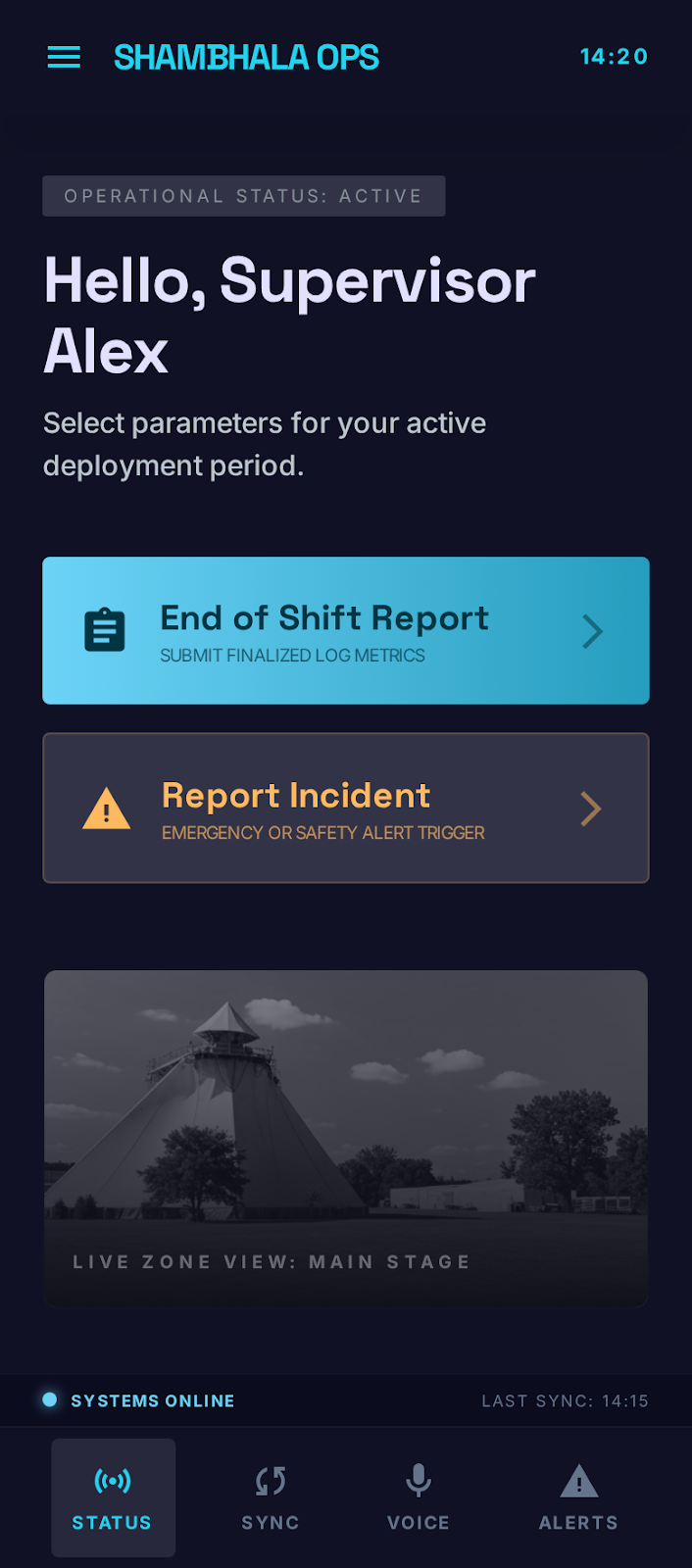
Big buttons, zero navigation. A dedicated app on supervisor phones or shared devices. Tap to expand.
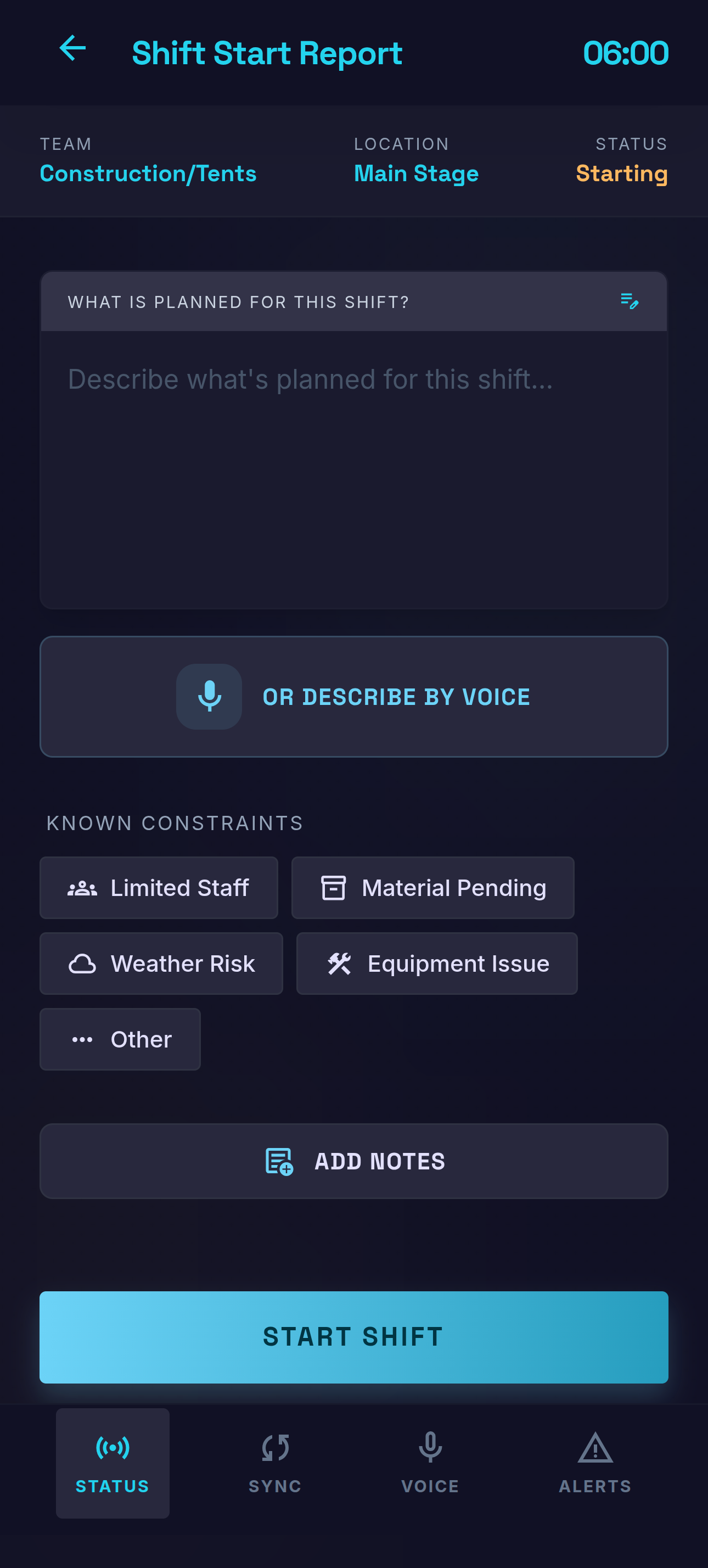
Supervisor records attendance, planned tasks, targets, and the safety topic. All by voice. Under 2 minutes.
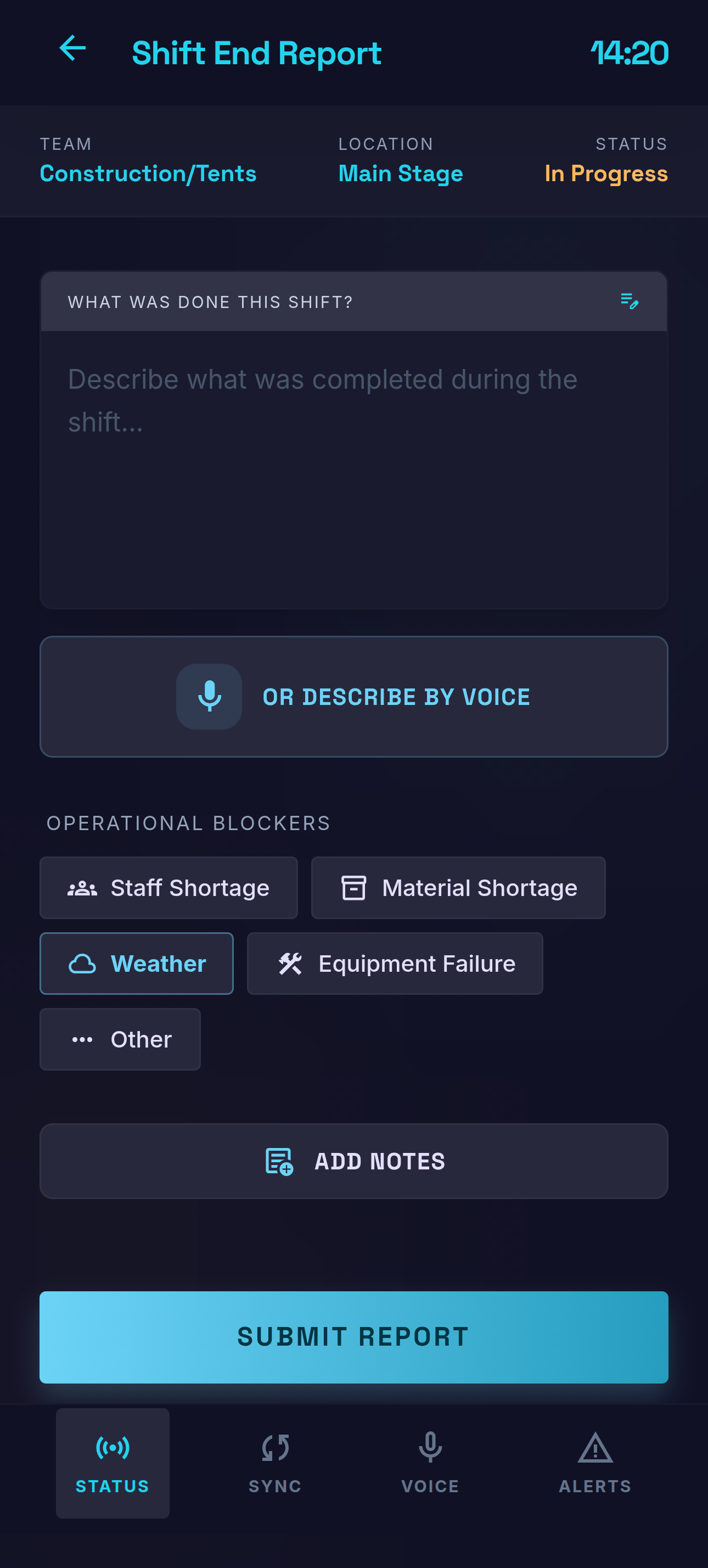
Supervisor speaks naturally: "We planned 300 tents, set up 220. Two people absent, missing hardware." AI structures everything.
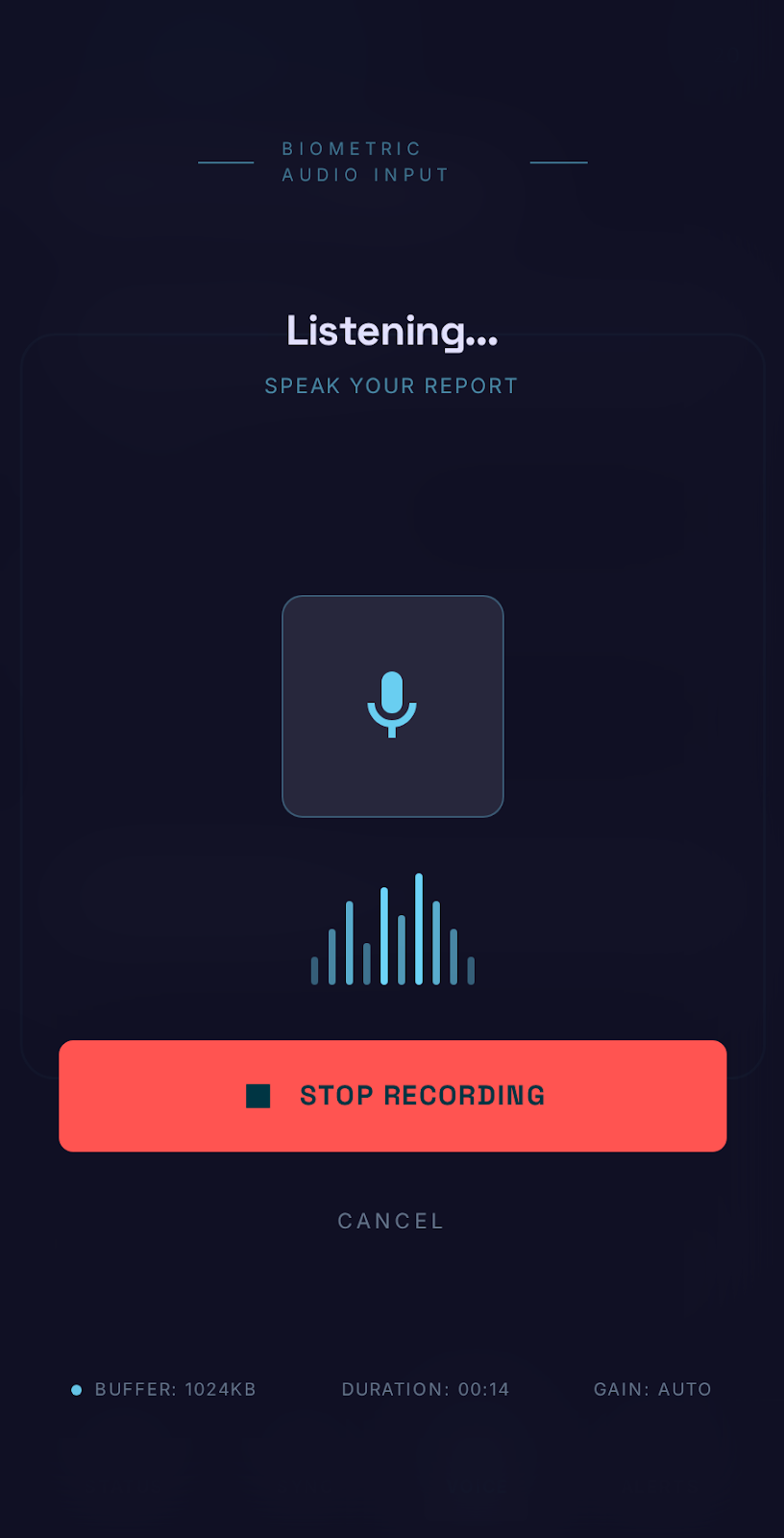
Tap the mic, speak naturally. The system transcribes, extracts structured data, classifies, and routes. No typing required.
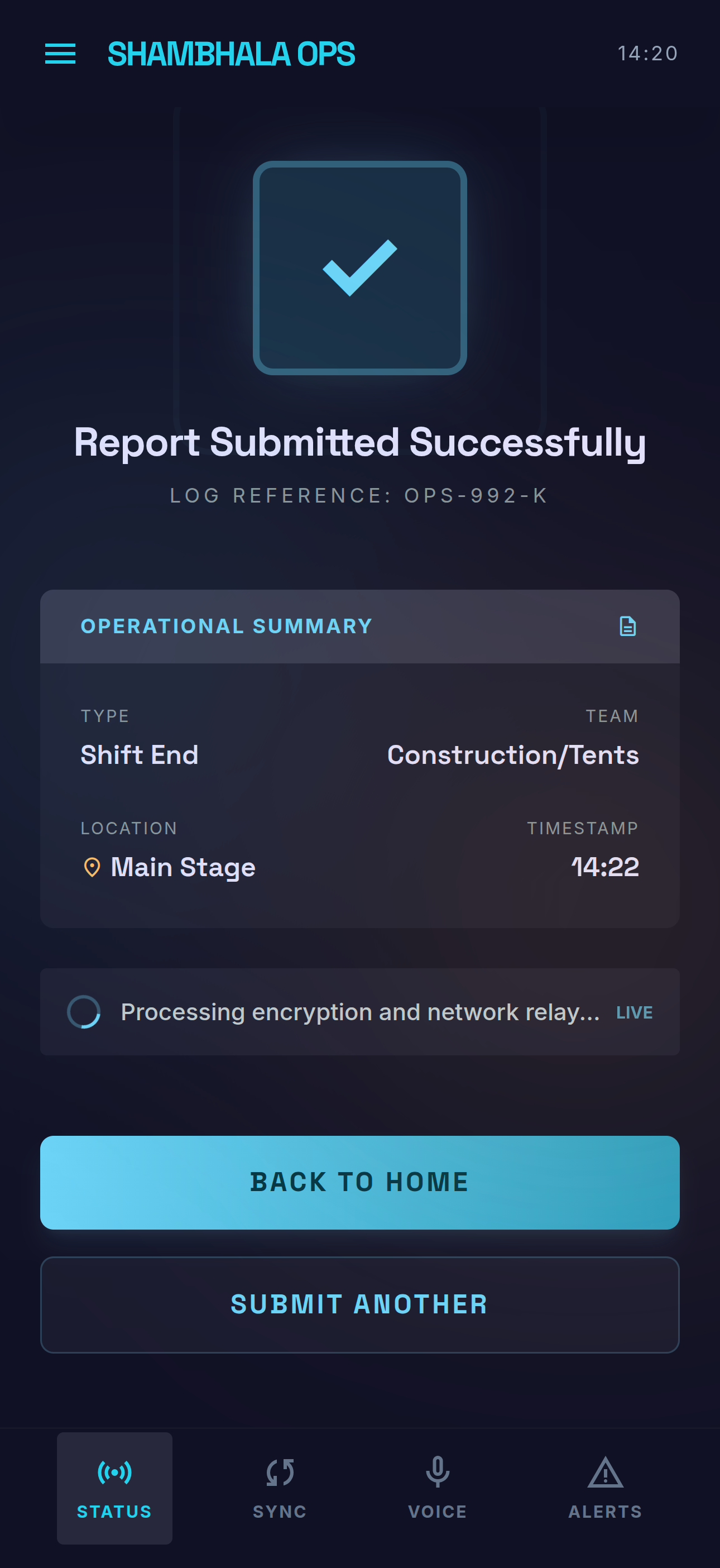
Report submitted. AI processes it in the background — classifying, routing, and updating dashboards in real time.
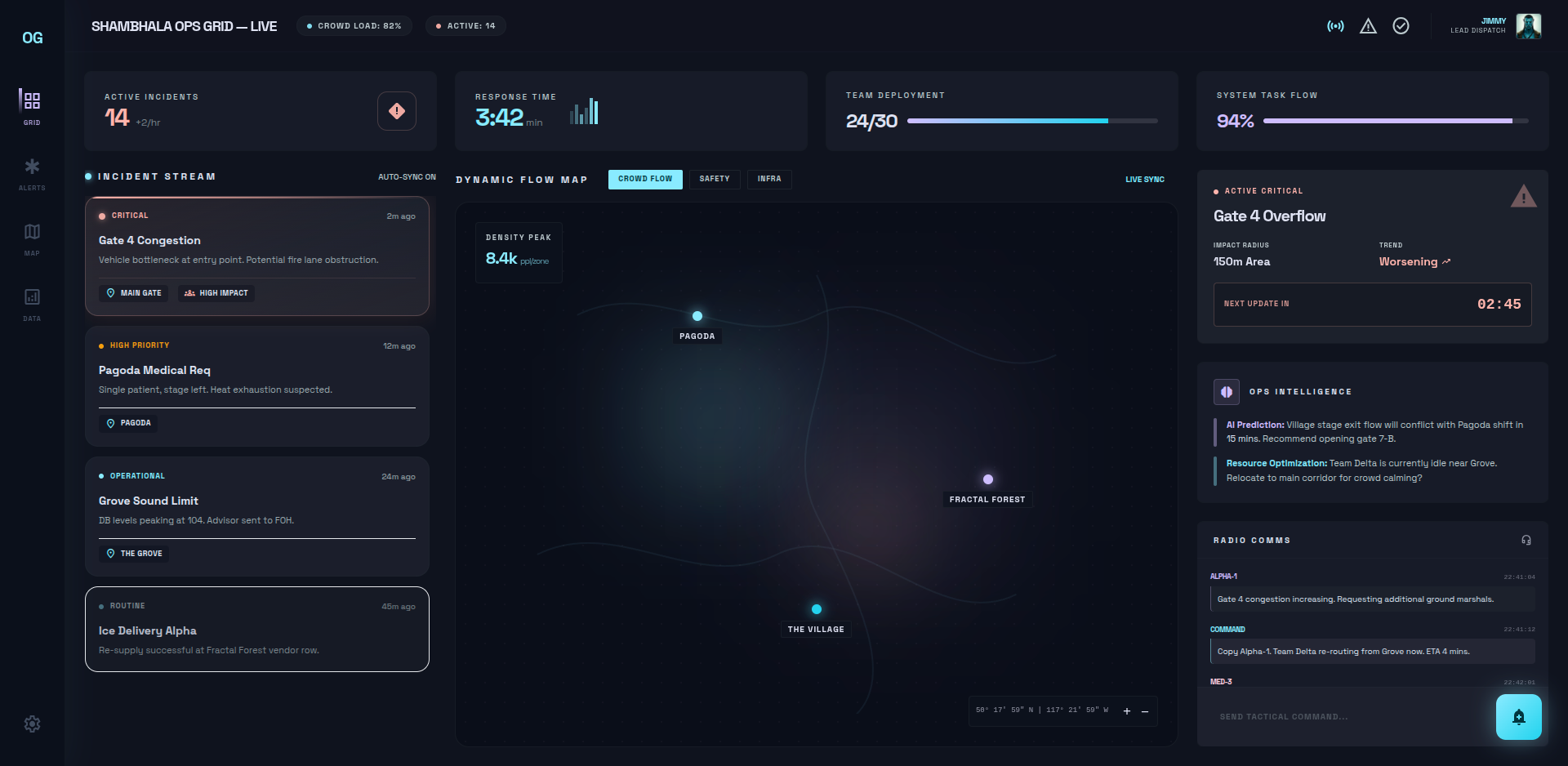
Real-time operational picture. Incidents by severity, dynamic flow map, team deployment, safety metrics. The full operational nervous system.
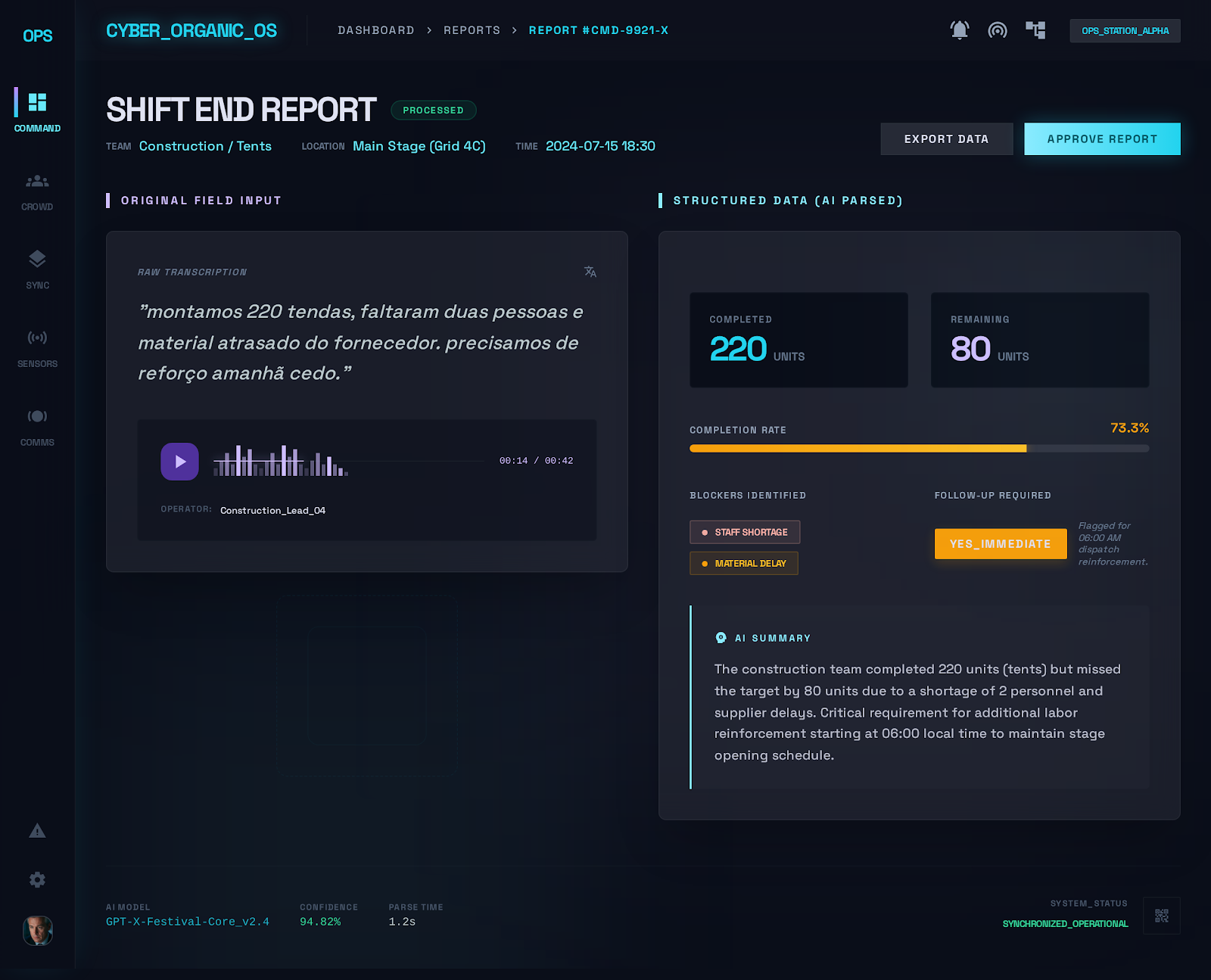
What leadership sees after a supervisor submits a voice report. Structured data, blockers, tasks — all extracted and visualized automatically.
Your teams will actually use this.
Supervisors speak naturally. The system structures it. No forms to fill, no fields to navigate.
Purpose-built for field conditions. Installs in seconds on supervisor phones or shared devices. No clutter, no learning curve.
The Salmo River Ranch isn't downtown Vancouver. The app works without connectivity and syncs when signal returns.
We don't replace WhatsApp overnight. Pilot with one crew during build week. When it works, it spreads.
Functional scope — in plain language.
Below is our understanding of what the system needs to do. This is the part we'd love your feedback on — what's missing, what's wrong, what matters most.
Attendance, planned tasks, targets, resources, safety briefing. Voice or quick-select. Pre-filled context.
Completed vs. planned, blockers, safety events, tomorrow's needs. AI structures voice into discrete fields.
Equipment failure, safety hazard, guest complaint. Classified by type and severity. Auto-routed.
Speak naturally — transcribed, parsed, classified. No typing for long-form fields.
Works without signal. Queued locally, synced when connectivity returns.
Digital attendance with timestamp and geolocation. Audit trail for safety compliance.
QR codes at washrooms, stages, gates. Location pre-filled. Under 60 seconds. No app, no login.
Broken facility, safety concern, service need. Auto-classified and routed to responsible team.
Quick satisfaction or comment form. Feeds into sentiment analysis on the dashboard.
Voice parsed into tasks, quantities, blockers, severity. No manual data entry.
Auto-classified by type (safety/operational/guest/equipment) and severity (low/medium/high/critical).
Routed by type, severity, location. Critical triggers immediate push notification.
Recurring issues surfaced before they escalate. Cross-team correlation.
Auto-generated per shift for managers. Weekly executive summaries for leadership.
Sorted by severity. Full timeline with status, assignments, resolution.
On shift, check-in rates, blockers, completion. Filterable by location and phase.
Real-time variance. Teams falling behind are flagged automatically.
Live incident markers, team positions, resource status by zone.
Briefing completion, incident history, training records. Exportable audit trail.
Each role sees what matters for their scope — from team-level to full operational picture.
Register teams, assign leaders, define roles. Multi-team membership. Seasonal onboarding.
Two-level map: macro zones and specific points. Every record linked to a location.
Trackable assets with service history. Consumables by quantity.
No-code forms: text, voice, select, photo, number, date. Linked to live data sources.
Phases, initiatives, task templates. Activate to unlock field operations for all teams.
Incremental value.
Each phase stands on its own.
Foundation
Your teams, locations, assets, and forms — in one place. The invisible infrastructure that makes everything else possible.
Field Operations
Voice reports, incident routing, real-time dashboards, crew check-in, push notifications. The full daily cycle — live.
Intelligence
Pattern detection across teams, proactive alerts, natural-language queries, compliance exports. The system learns.
If you stop after Phase 1, you still have a better system than what you have today. Each phase delivers value before the next one begins.
This proposal is a starting point,
not a contract.
We built this based on what we've learned about Shambhala's operations so far. Some of it will be wrong — and that's the point. We look forward to our next meeting to refine this together and align on priorities.
 Douglas Nunes
 Luan Herdi
 Daniel Andrade